
One primitive.
Six things it does well.
Every feature in Simple = Select + Search extends a single act: select → search. We didn’t build a Swiss-army knife — we built one good blade, six grips for it.
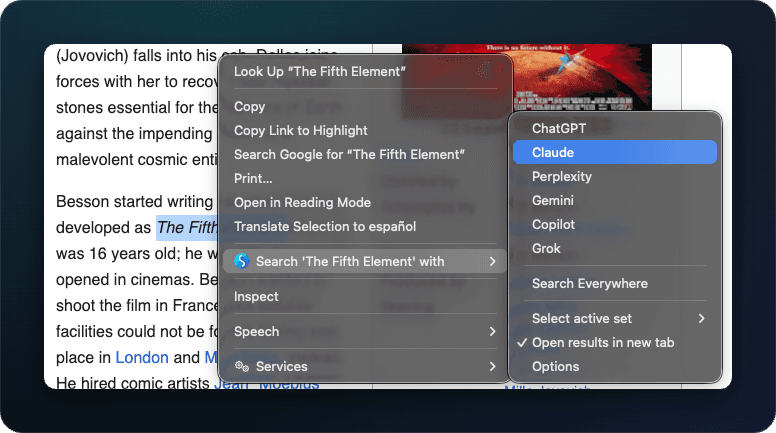
Right-click to search.
The selection IS the query. No address bar, no New Tab, no copy-paste. Whatever you highlighted goes straight to the engine you picked.
- →Works on any selected text — articles, code, PDFs, input fields
- →Your selection becomes the query verbatim — no retyping
- →Open results in a new tab or window, focused or in the background — your call in settings
- →Per-engine word separator controls how spaces are encoded (+, %20, …)
Fan out to many engines.
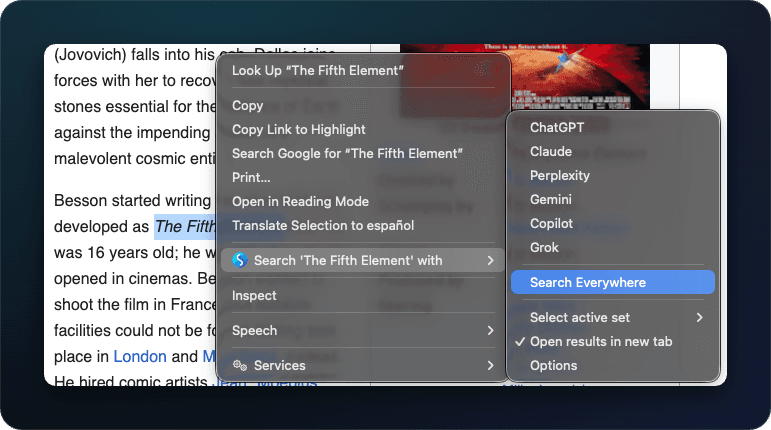
Pipe one selection to N engines at once. Hits each one in a new background tab, ordered, paused — ready to flip through when you're ready.
- →Pick any subset of your current set from the right-click menu
- →Or "Search all in set" — sends to every engine in the active set at once
- →Tabs open in order, focused on the first one, the rest discarded until visited
- →Built for research, comparison shopping, code lookups, and AI-prompt rotations
Build any custom engine.
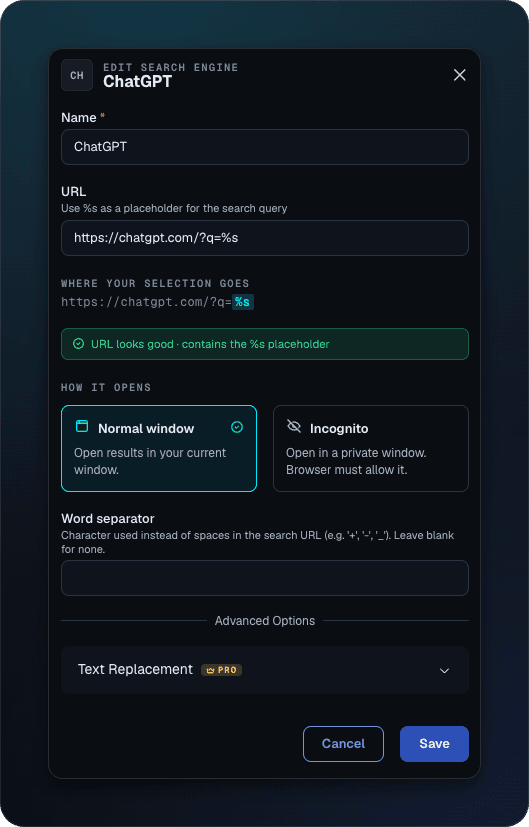
If your search has a URL with a query parameter, it can be an SSS engine. Drop the URL, mark where the query goes with %s, you're done.
- →Template-based — any URL pattern with a %s placeholder works
- →Catalog of 100+ pre-built engines (Google · Reddit · GitHub · Wikipedia · ChatGPT · YouTube · Amazon · …)
- →Open any engine in an incognito window per your settings
- →Group related engines into nested folders inside a set
Sets — grouped engines for the job.
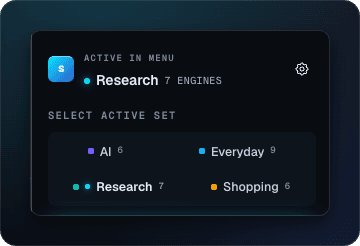
You don't research the same way you shop. Sets let you switch the whole right-click menu at once — different engines, different fan-out targets.
- →Free plan: 2 sets. Pro: unlimited.
- →Switch from the popup, or the right-click menu (Pro)
- →Drag-reorder engines within a set; copy engines between sets
- →Sample sets pre-built: /work · /ai · /coding · /shop
Side panel — query without selecting.
The most-requested feature in 15 years. A persistent sidebar with one query bar; type anything, pick any engine (or fan out), search. Lands as a Pro feature in v3.1.
- →Lives in the browser's native side panel (Chrome 114+, Firefox 138+, Edge 114+)
- →Per-engine results in tabs within the panel — preview without opening N windows
- →Remembers your recent queries; pin the ones you reuse
- →Pro-only — ships in v3.1; visible as a disabled preview in v3.0
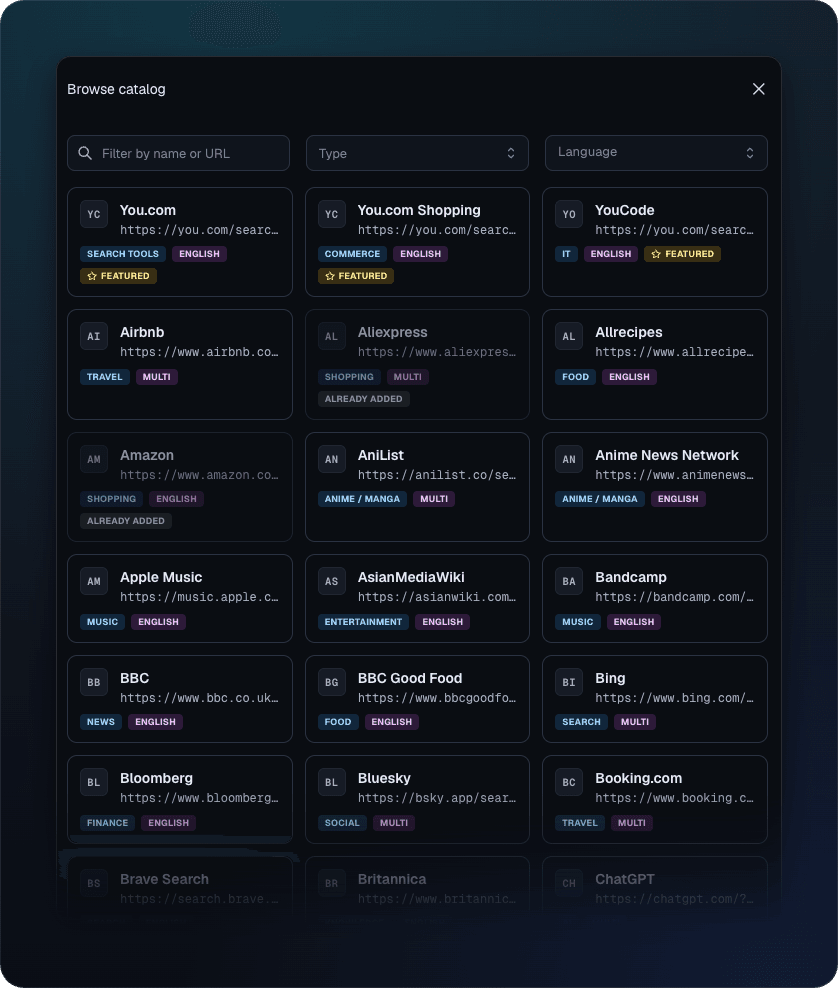
Browse the engine catalog.
Don't hand-build every engine. A curated catalog of 100+ ready-to-use engines — search, AI, shopping, research, dev, and more — each one a single click to add to your current set.
- →100+ pre-built engines across a dozen categories
- →One click adds an engine to your set — no %s wrangling required
- →Filter by name to find what you want fast
- →Mix catalog engines with your own custom ones in any set
Install in two clicks.
Free, no account, no ads. Pick your browser; you’re searching in under a minute.